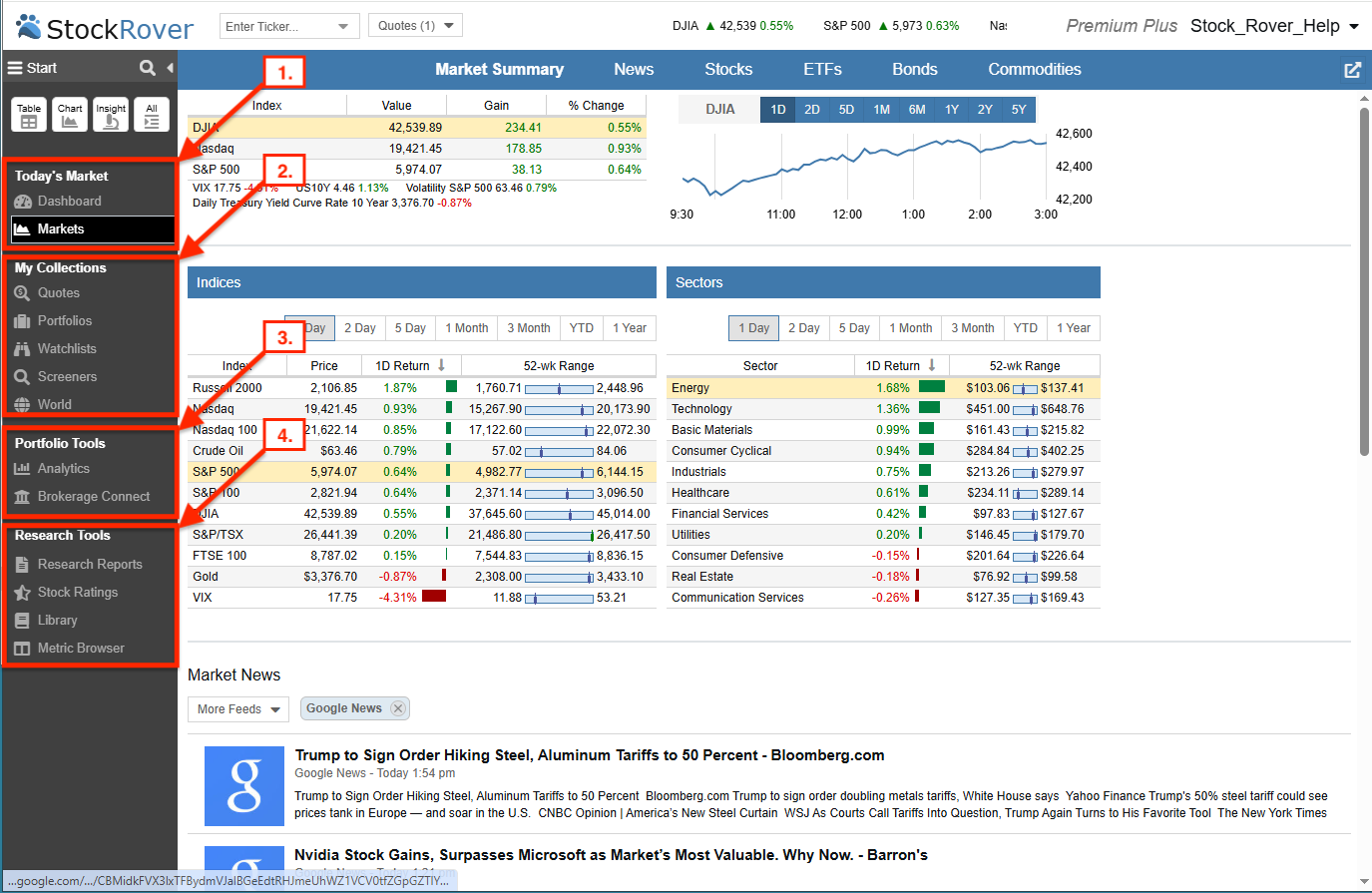
Start Menu
The Start Menu is the primary gateway to all Stock Rover features. For a streamlined experience, this guide focuses on Simple Mode, which prioritizes the most frequently used tools. To customize the Start Menu, select the hamburger icon (☰) in the upper left of the menu.
- Today’s Market – Your daily command center for real-time market snapshots and automated portfolio summaries.
- My Collections – Your primary hub for managing and researching your Quotes, Portfolios, Watchlists, and Screeners.
- Portfolio Tools – Professional utilities for assessing investment performance using Analytics and establishing secure Brokerage Connect feeds.
- Research Tools – Advanced facilities featuring institutional-quality data and comprehensive Research Reports.
- Resources – Monitoring and discovery tools, including a Library of expert-curated screeners, model portfolios, and data views.