Dashboard
Located at the top of the Start Menu under Today’s Market, the Dashboard serves as your automated intelligence hub, providing a real-time snapshot of both portfolio performance and the broader market.
Configuration
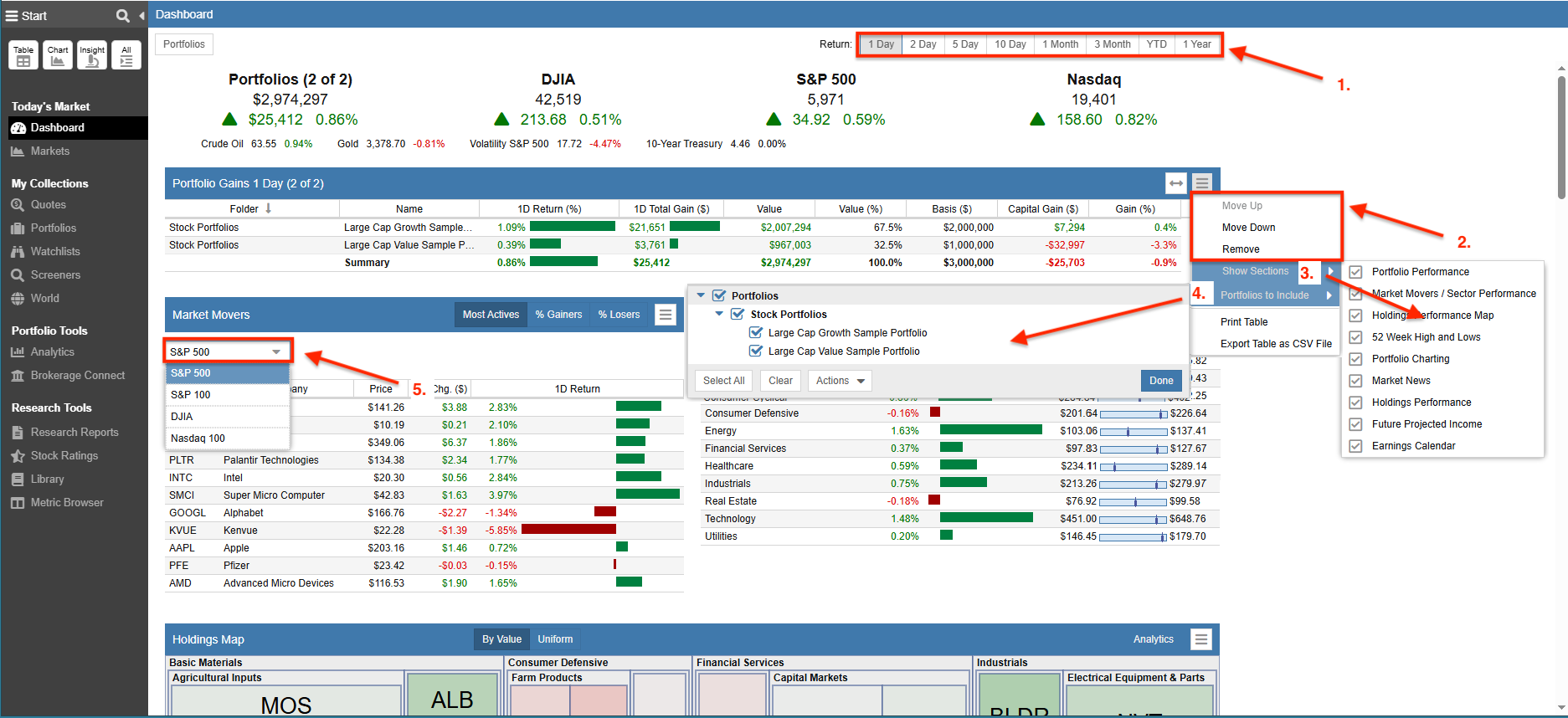
The Dashboard is fully customizable, allowing you to prioritize the data most relevant to your investment strategy. For example, you can:
- Jump To – Go directly to a specific section.
- Adjust Time Periods – Change the date selection for performance snapshots of your portfolios and the overall market.
- Control Layout – Reorder, hide, or select specific sections (like Market Overviews or Top Movers) to display.
- Target Portfolios – Select exactly which portfolios to include for evaluation.
- Set Market Context – Choose which index (such as the S&P 500 or Nasdaq 100) drives the Market Movers.
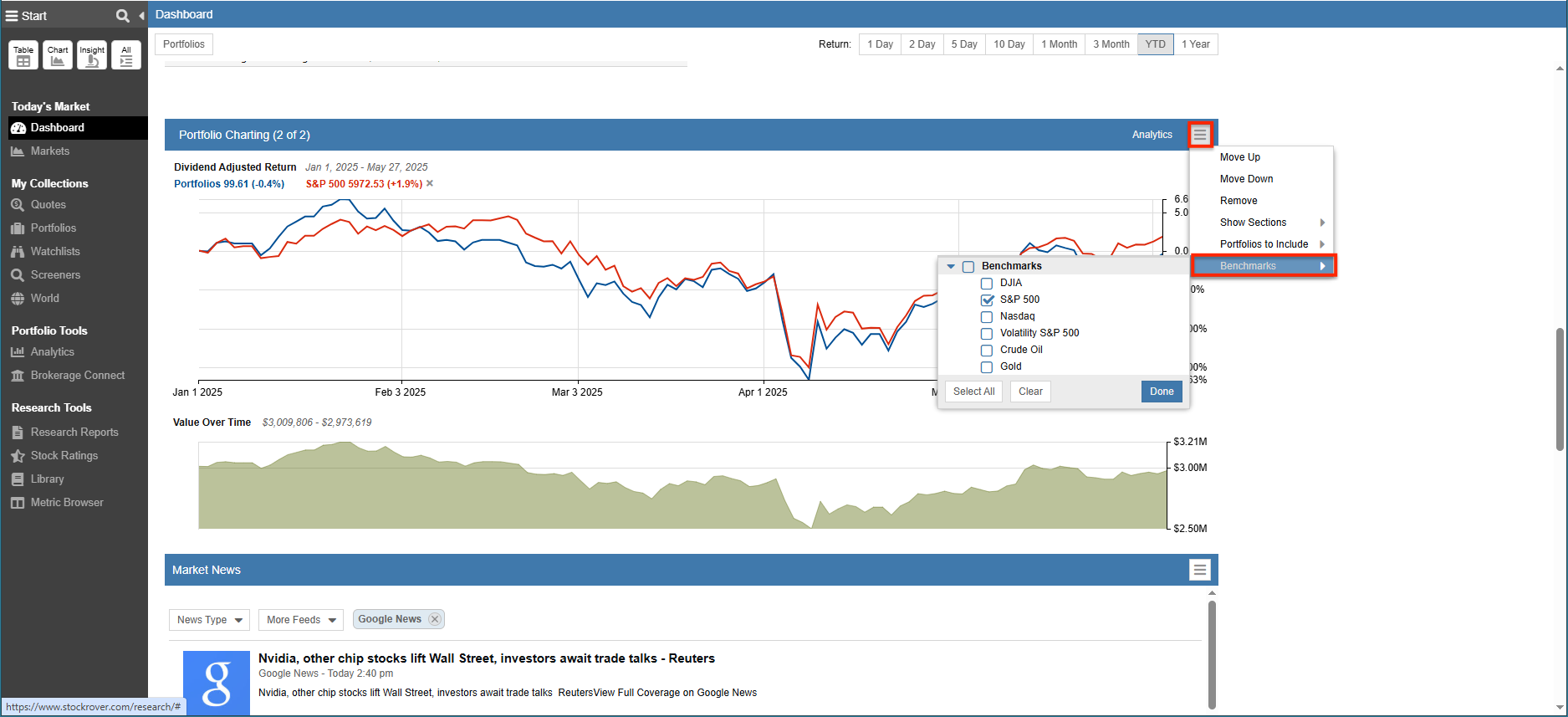
Individual sections within the Dashboard are uniquely configurable to suit your specific research needs. As shown in the example below, clicking the hamburger icon (☰) in the Portfolio Charting section opens a configuration menu where you can select additional benchmarks to include on the chart, enabling a clear visual comparison of your portfolio’s performance against the broader market.