Filter by Plan
Filtering by Plan Type
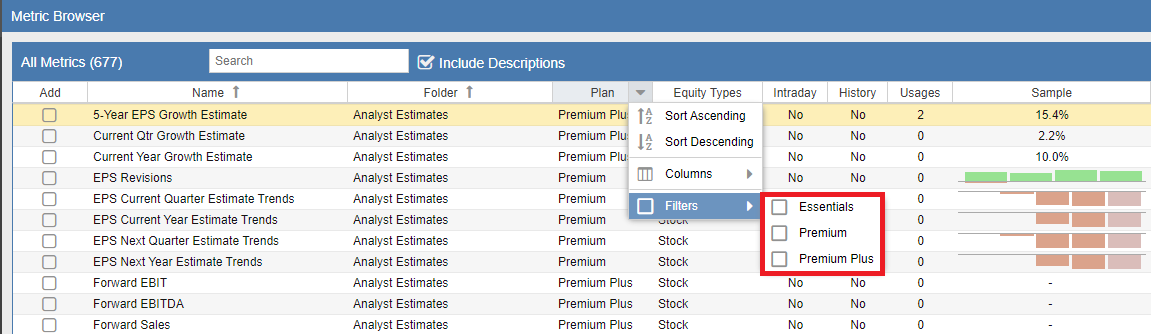
The Metric Browser allows you to filter the entire metric library based on subscription levels. This is a highly effective way to identify which data points are available in your current plan or to explore the additional value provided by higher tiers.
To apply a filter, right-click on any column header to reveal the filter menu. As shown in the screenshot below, you can then select or deselect specific plan types. The logic for these tiers is cumulative:
- Premium: Metrics marked as “Premium” are available in the Premium, Premium Plus, and Ultimate plans.
- Premium Plus: Metrics marked as “Premium Plus” are available in both the Premium, Premium Plus, and Ultimate plans, but are excluded from the Premium tier.
- Ultimate: These metrics are exclusive to the Ultimate plan.
For example, if you want to see every metric available to a Premium Plus subscriber, you should check both the Premium and Premium Plus boxes. If you want to see exactly what you gain by upgrading from Premium to Premium Plus, check only the Premium Plus box.