
Unlinking Portfolios
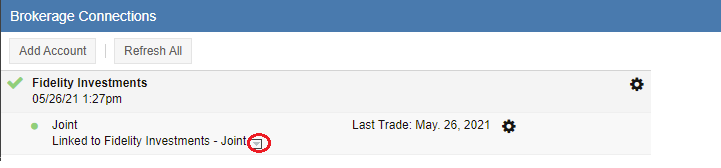
By default, the portfolios in your connected brokerage accounts—visible in the Brokerage Connections panel—will be linked to a new Stock Rover portfolio using the account name provided by your brokerage. If you prefer not to have a specific account linked, click the grey dropdown arrow (circled below) to open the ‘Quick Portfolio Link Change’ menu.
This reveals a menu containing all of your existing Stock Rover portfolios:
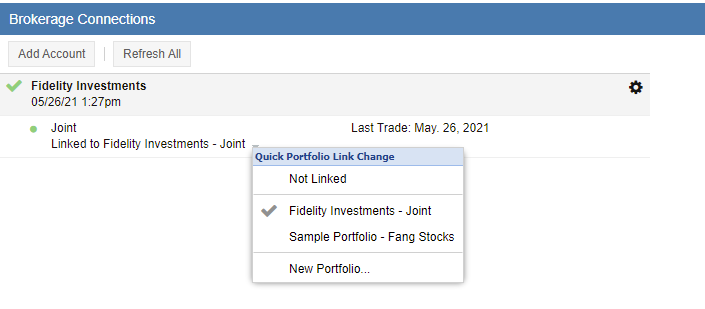
Select ‘Not Linked’ from the list if you do not want that specific brokerage account to sync with a Stock Rover portfolio.
Once a portfolio is unlinked, the existing Stock Rover portfolio will remain in your account for historical reference, but it will no longer receive automatic data updates from your brokerage.