Additional Trade Evaluator Actions
Managing Trade Bundles
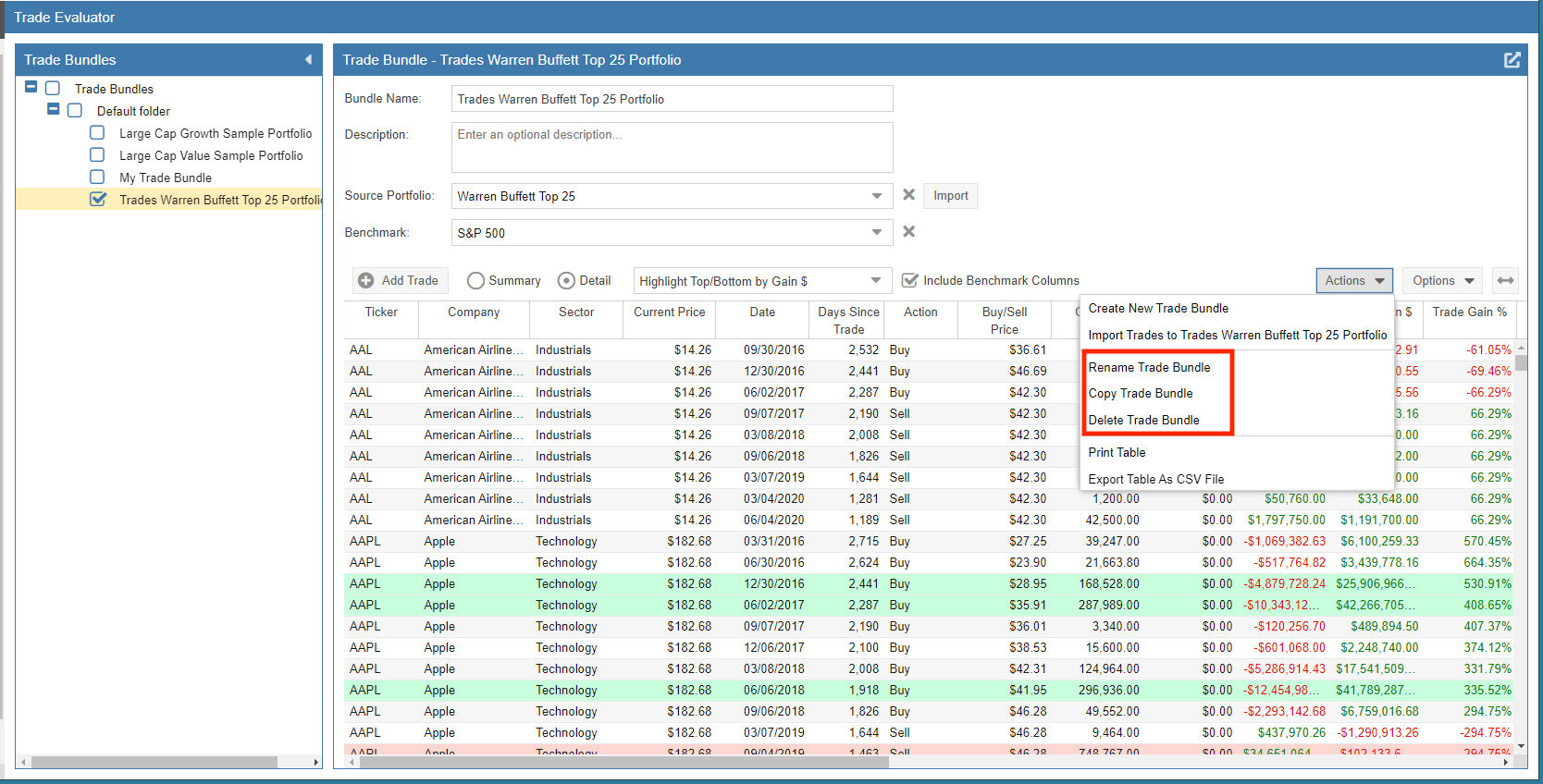
To begin managing your research, select the Trade Evaluator from the Start Menu. When you select the ‘Actions’ pull-down menu for a specific Trade Bundle, you have the following management options:
- Rename a Trade Bundle: Change the display name of your selected bundle.
- Copy a Trade Bundle: Create an exact duplicate of a bundle, which is useful for testing “what-if” scenarios.
- Delete a Trade Bundle: Permanently remove the bundle from your Trade Evaluator.
Exporting Trade Bundles
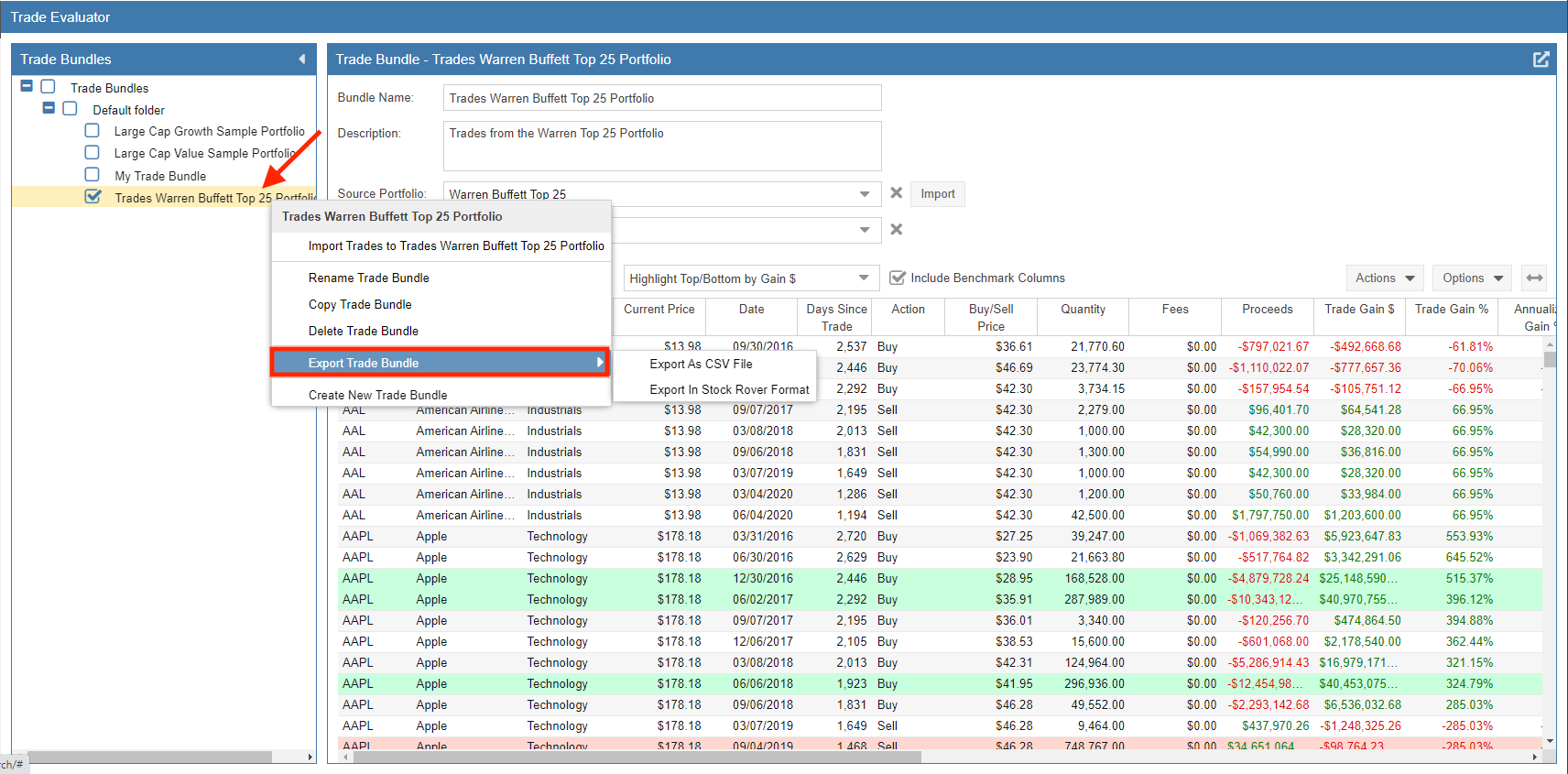
You can export a Trade Bundle as a CSV file or in the native Stock Rover format by right-clicking on the bundle within the Trade Bundle pane. The screenshot below illustrates the Export Trade Bundle options, including the CSV and Stock Rover format sub-options.
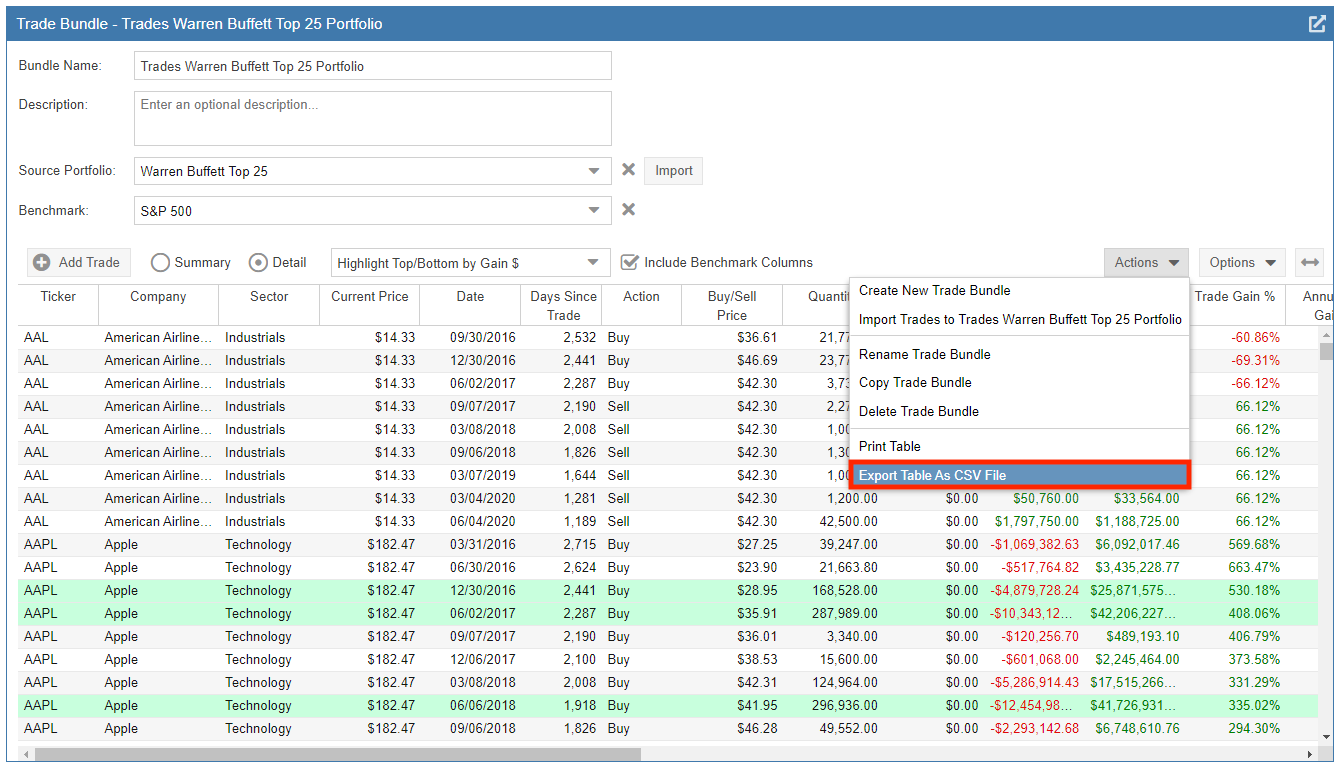
Additionally, you can export the current contents of your results table directly to a CSV file. To perform this action, click the ‘Actions’ pull-down menu and select ‘Export Table as CSV File’ as shown below.
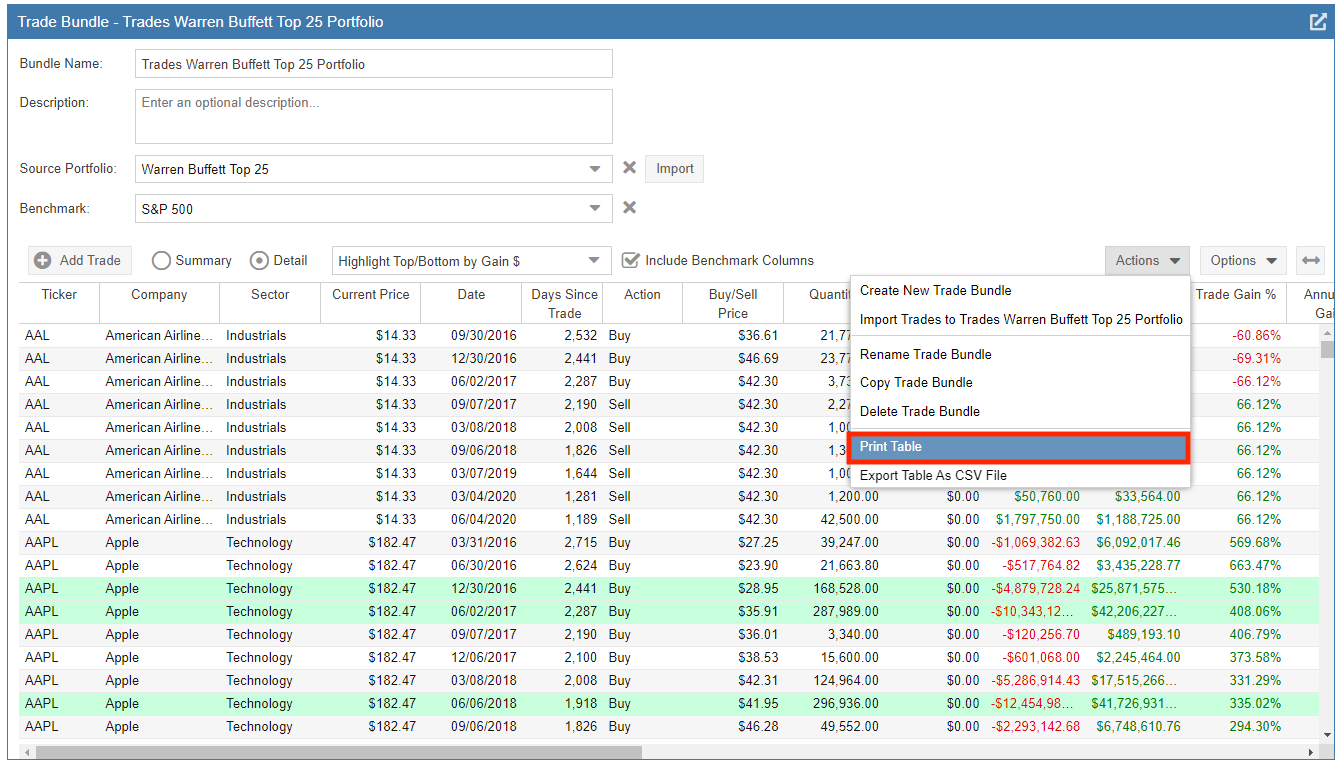
Printing the Table
To generate a hard copy of your analysis, click the ‘Actions’ pull-down menu and select ‘Print Table’. This will format your current Summary or Detail view for printing.