Portfolio Management

Take Complete Control of Your Investments

Stock Rover brings together deep fundamental data, powerful screening, smart portfolio management, and real-time analysis into a single, unified workspace designed for serious investors.

Overview

Most brokerage dashboards show little more than today’s account balance. Stock Rover goes far deeper, helping you understand what’s driving your performance, where your risks may be hiding, and how to improve your portfolio over time. With powerful analytics, portfolio planning tools, and automated insights, you gain the clarity and confidence needed to make smarter investment decisions.

Why Investors Choose Stock Rover

Complete visibility

Track all your accounts and investments in one place

Deeper insight

Understand performance, risk, and diversification

Smarter decisions

Plan trades, rebalance, and forecast income with confidence

Get a Clear Picture of Your Investments

See all your accounts together and understand how your investments work as a whole

Secure Brokerage Integration

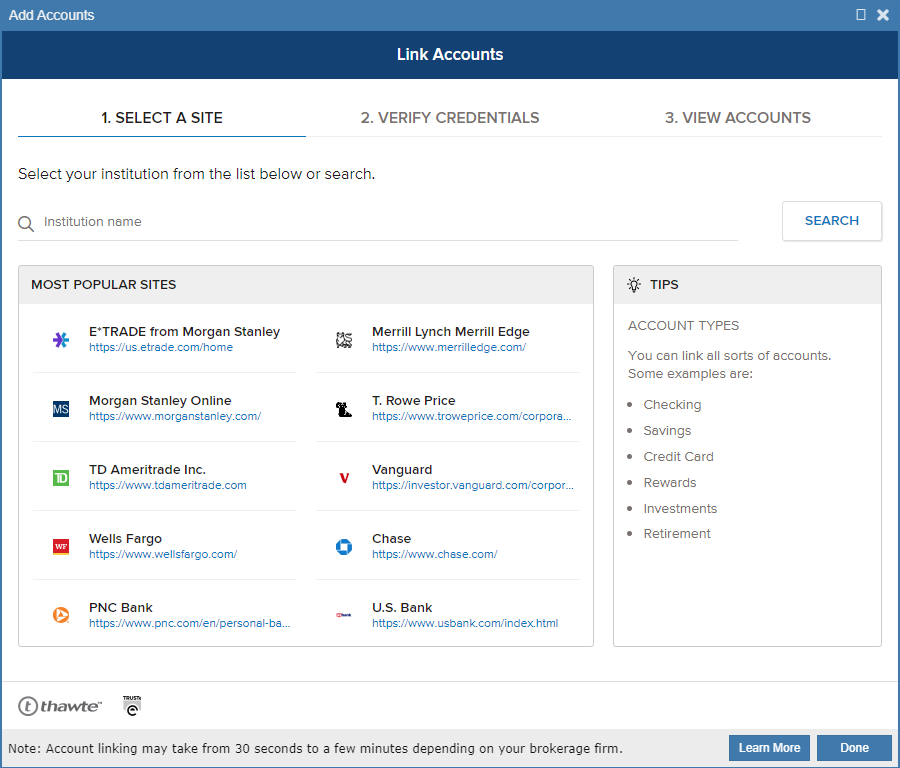
Connect your brokerage accounts in minutes and automatically track all your holdings in one place. Stock Rover continuously syncs balances and positions, giving you a complete, up-to-date view of your portfolio without juggling multiple logins.

The Unified Dashboard

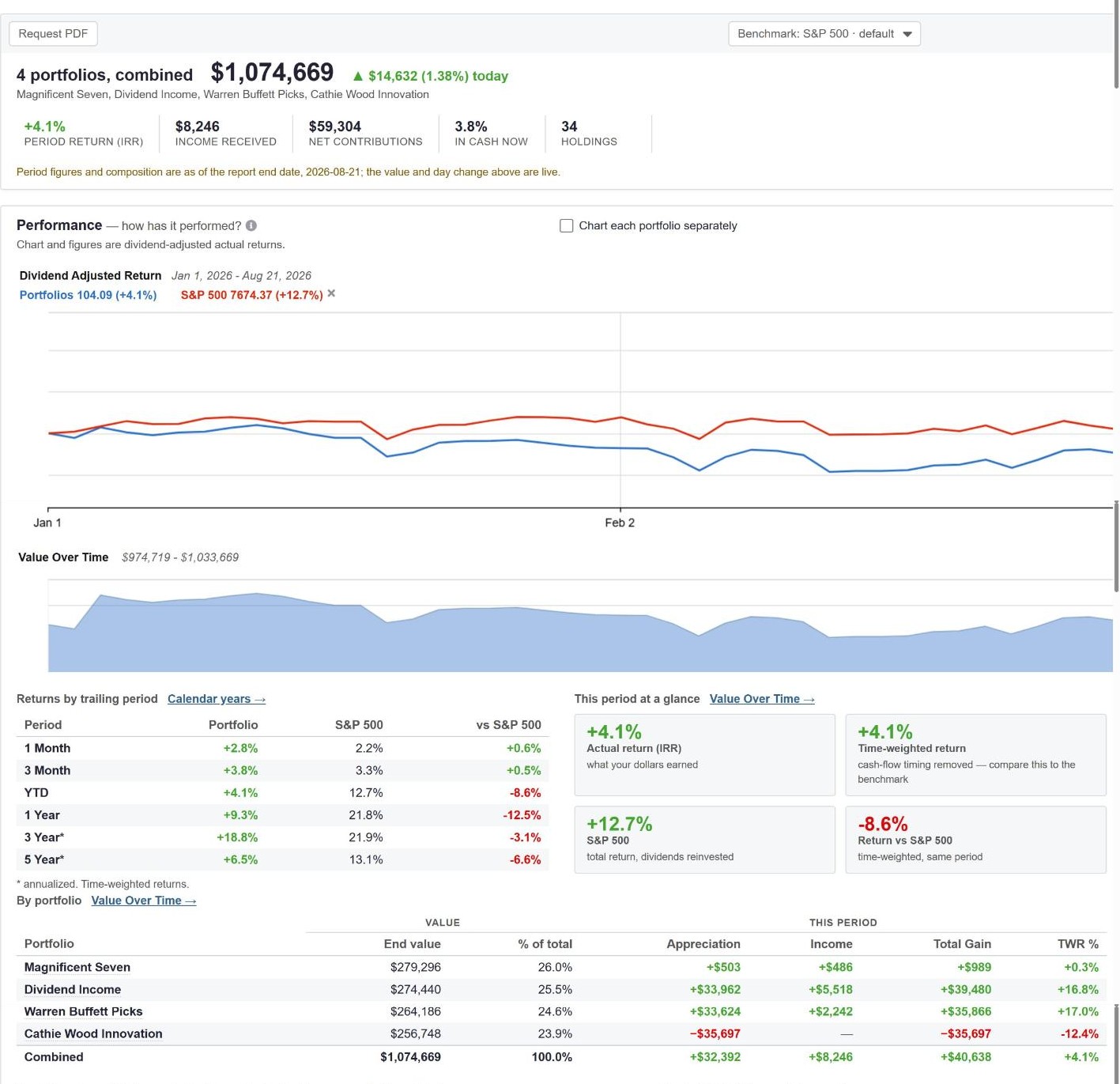
Stop logging into multiple sites just to see where you stand. Combine all your accounts into a single master portfolio view and see your total net worth, benchmark your exact returns against indices, and instantly understand your true performance.

Automatic Reporting & Alerts

Stay informed without monitoring the market constantly. Receive automated portfolio reports and real-time alerts for key price movements and upcoming earnings, so you can act quickly when opportunities arise.

Automated Reports

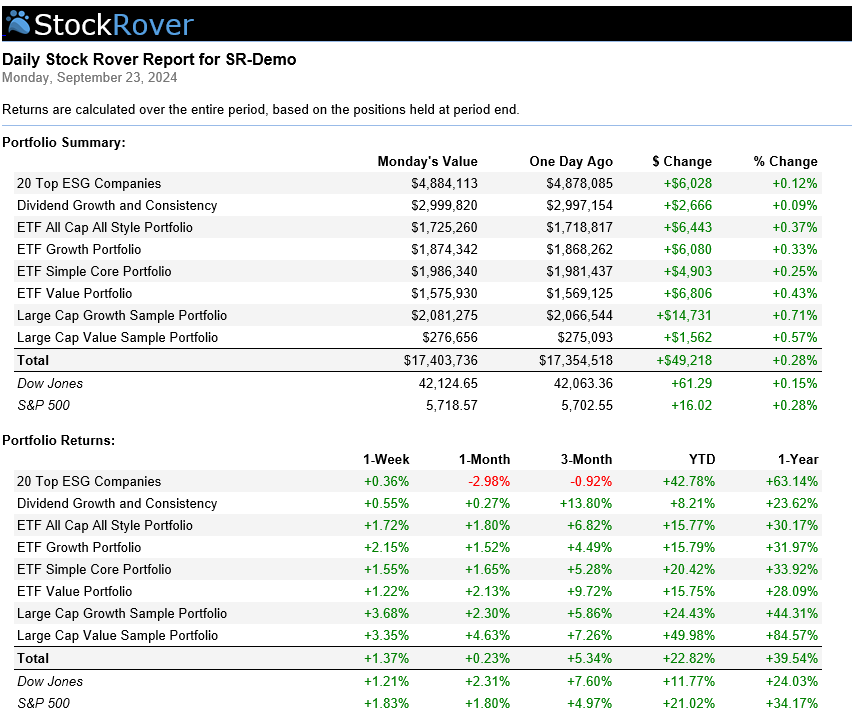
Stop digging for data every time the market closes. Stock Rover delivers comprehensive, easy-to-read performance reports straight to your inbox daily, weekly, or monthly. Review your top movers, portfolio health, and key metrics at a glance so you always know exactly where you stand.

Real-Time Alerts

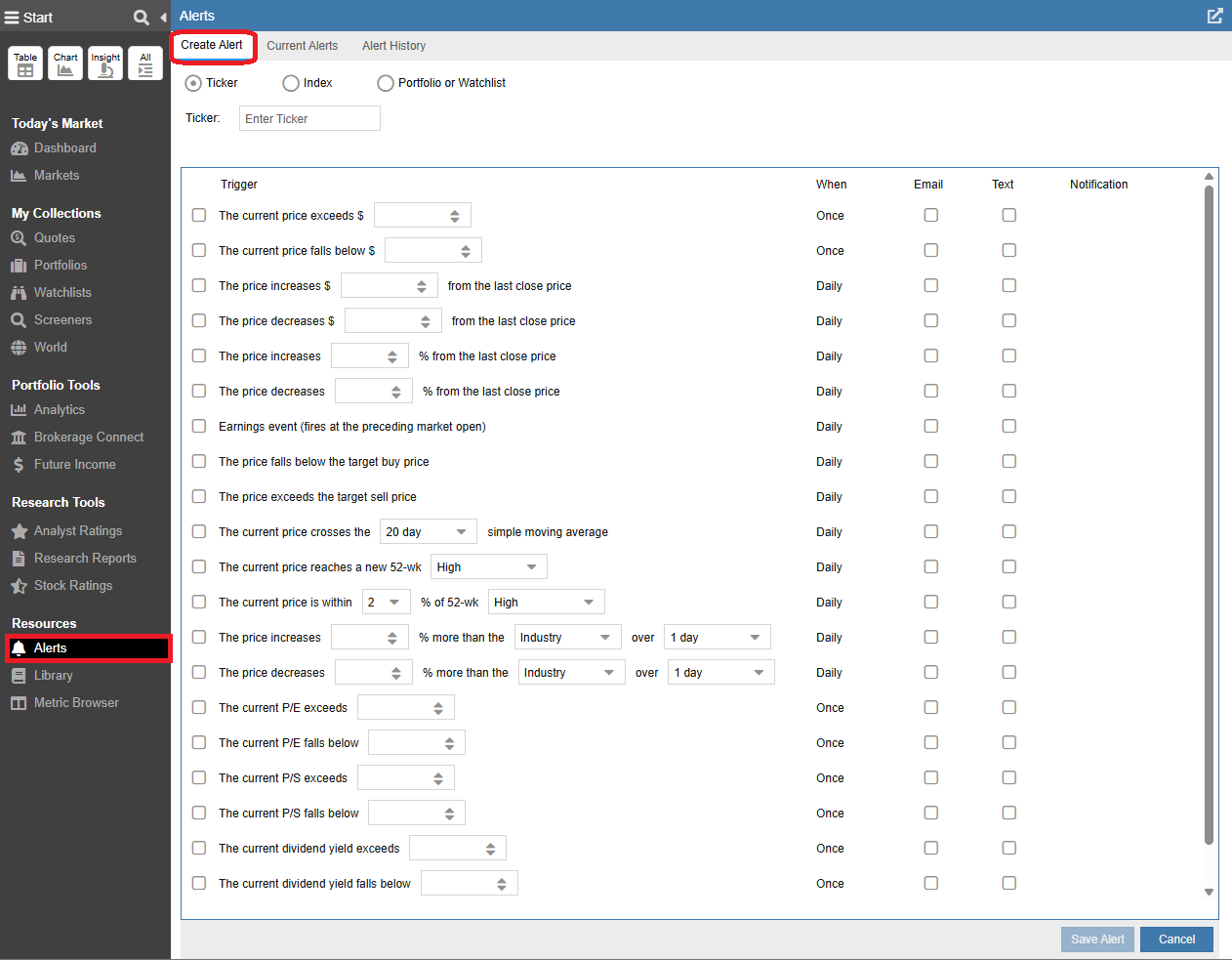
Never miss critical market moves. Stop staring at the screen. Set automated SMS and email alerts for price, fundamentals, technicals, or earnings. Track a single stock, monitor your entire portfolio, or set early-warning triggers for major market indices to catch critical moves.

Understand Your True Performance & Risk

Know not just what you earned, but how efficiently your portfolio is working.

Stock Rover evaluates your portfolios using professional risk-adjusted metrics like Sharpe Ratio, beta, volatility, and IRR. These insights show whether your returns justify the risks you’re taking, helping you make more confident investment decisions.

See which investments are driving your portfolio’s performance and which are holding it back. Stock Rover breaks down the exact percentage contribution of each position so you can quickly identify the winners driving your growth and trim the laggards dragging you down.

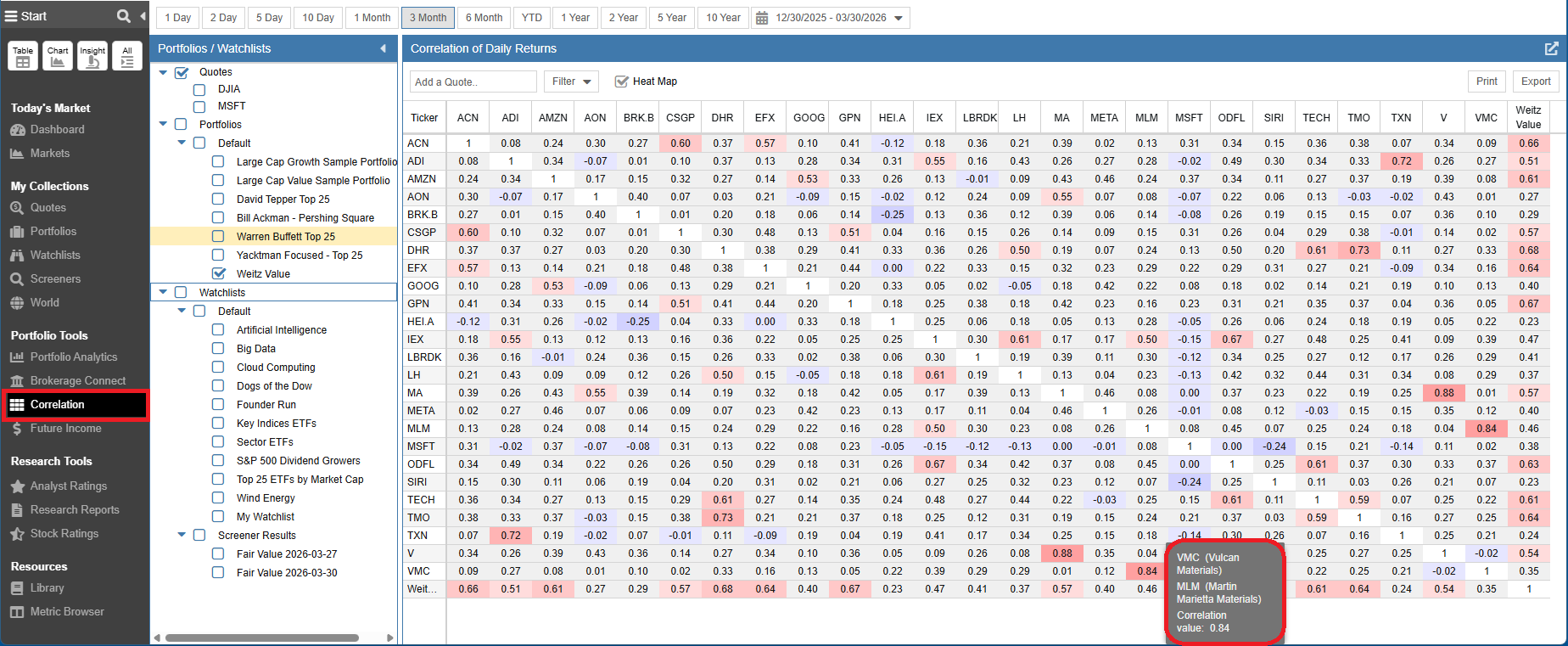
Diversification is more than owning multiple securities. Stock Rover shows how your holdings move relative to each other, revealing hidden concentration risks and helping you build a truly balanced portfolio.

Forecast Your Future Income

Know how your investments will generate passive income over time.

Future Dividend Tracking

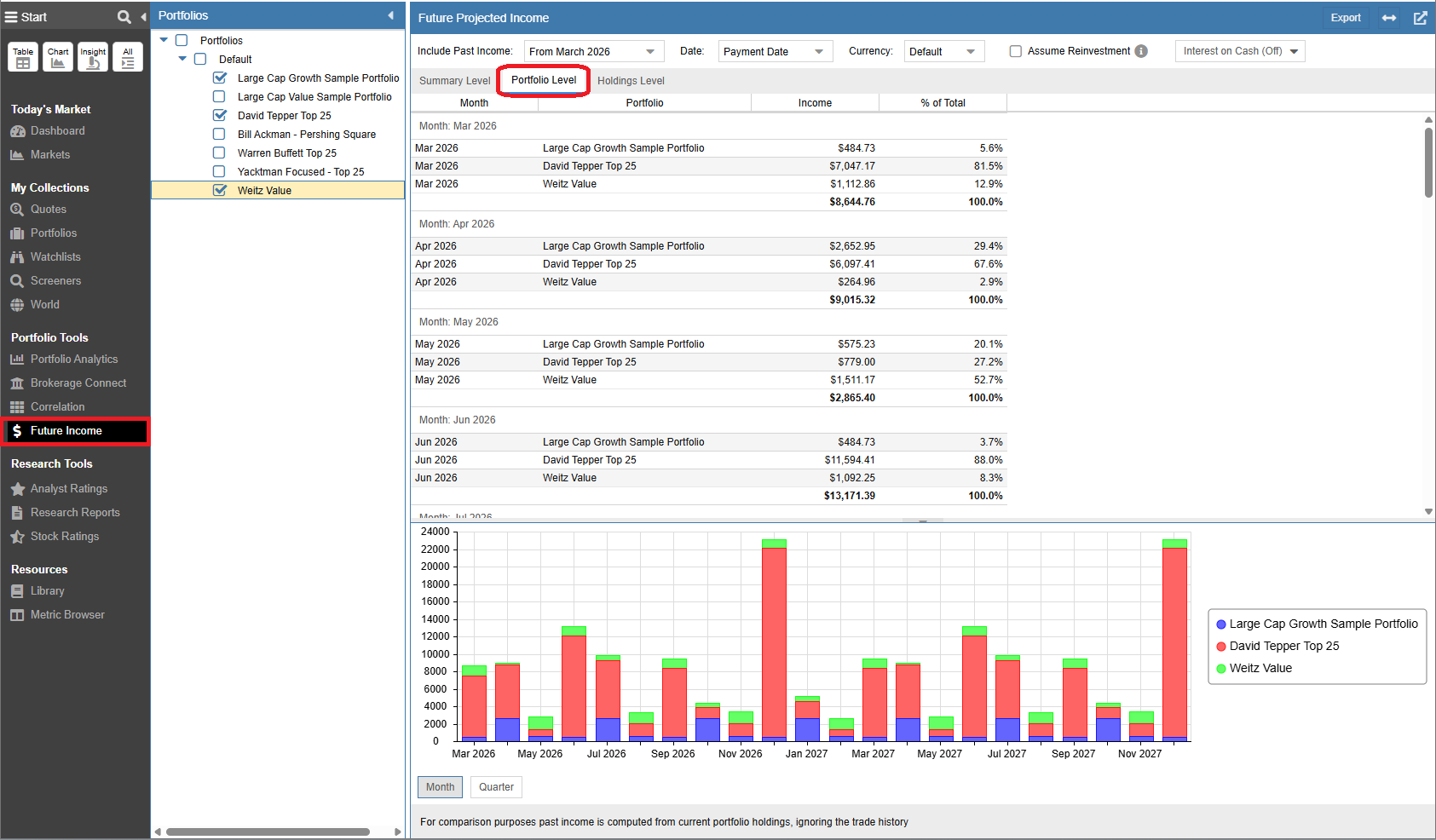
Stock Rover projects your future dividend income by month or year, making it easy to track growing cash flow. See exactly which holdings are driving your yield, and ensure your portfolios are on track to meet your long-term financial goals.

Stay Aligned With Your Investment Strategy

Plan trades and rebalance confidently without guesswork.

Rebalancing

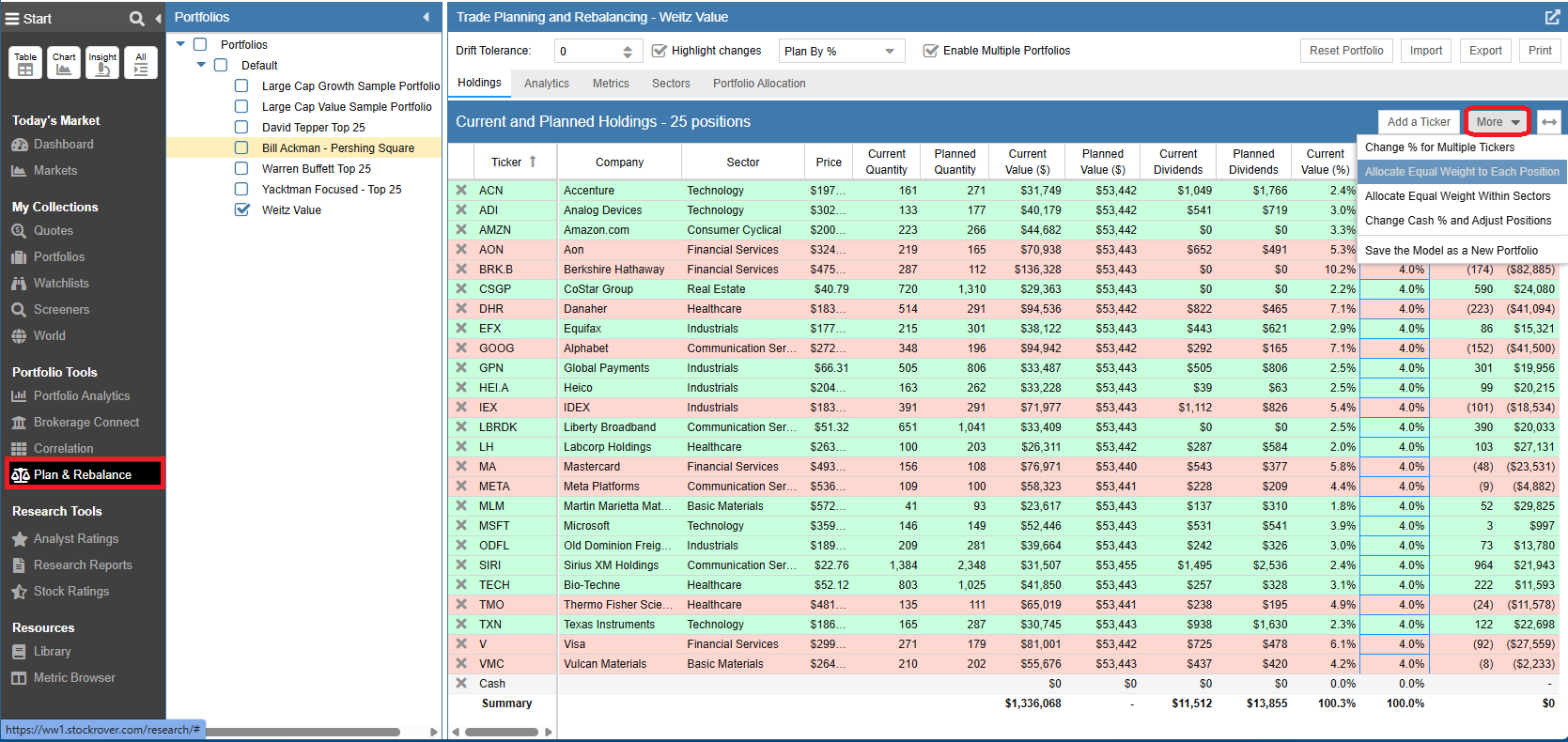
Market movements can easily misalign your portfolio. Stock Rover eliminates complex spreadsheets by instantly comparing your target versus actual allocations, calculating the exact trades needed to restore your balance.

Trade Evaluator

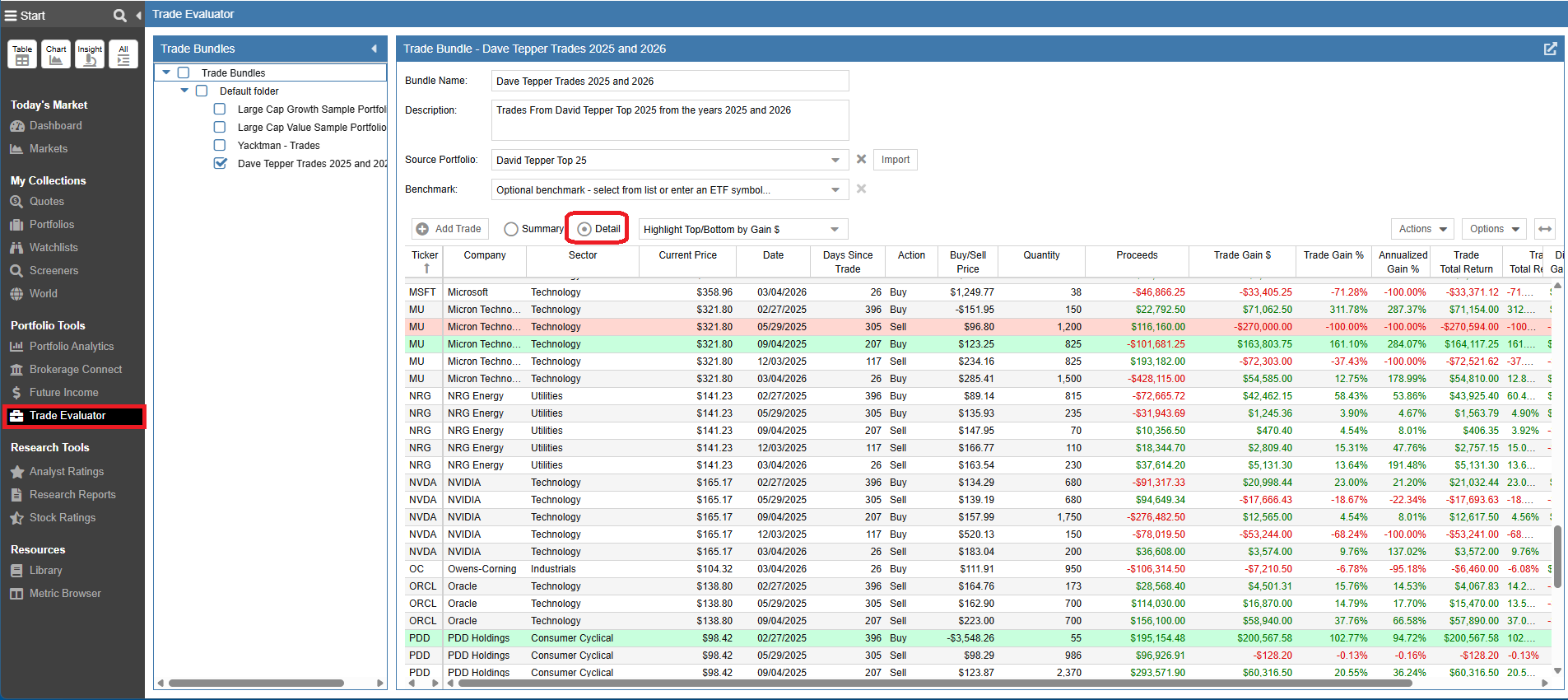
Analyze your historical buy and sell decisions, and compare your exact trading results against benchmarks like the S&P 500 , other indices, and portfolios. Instantly see whether your active management is adding real value to your returns or dragging them down.

Monte Carlo Simulations

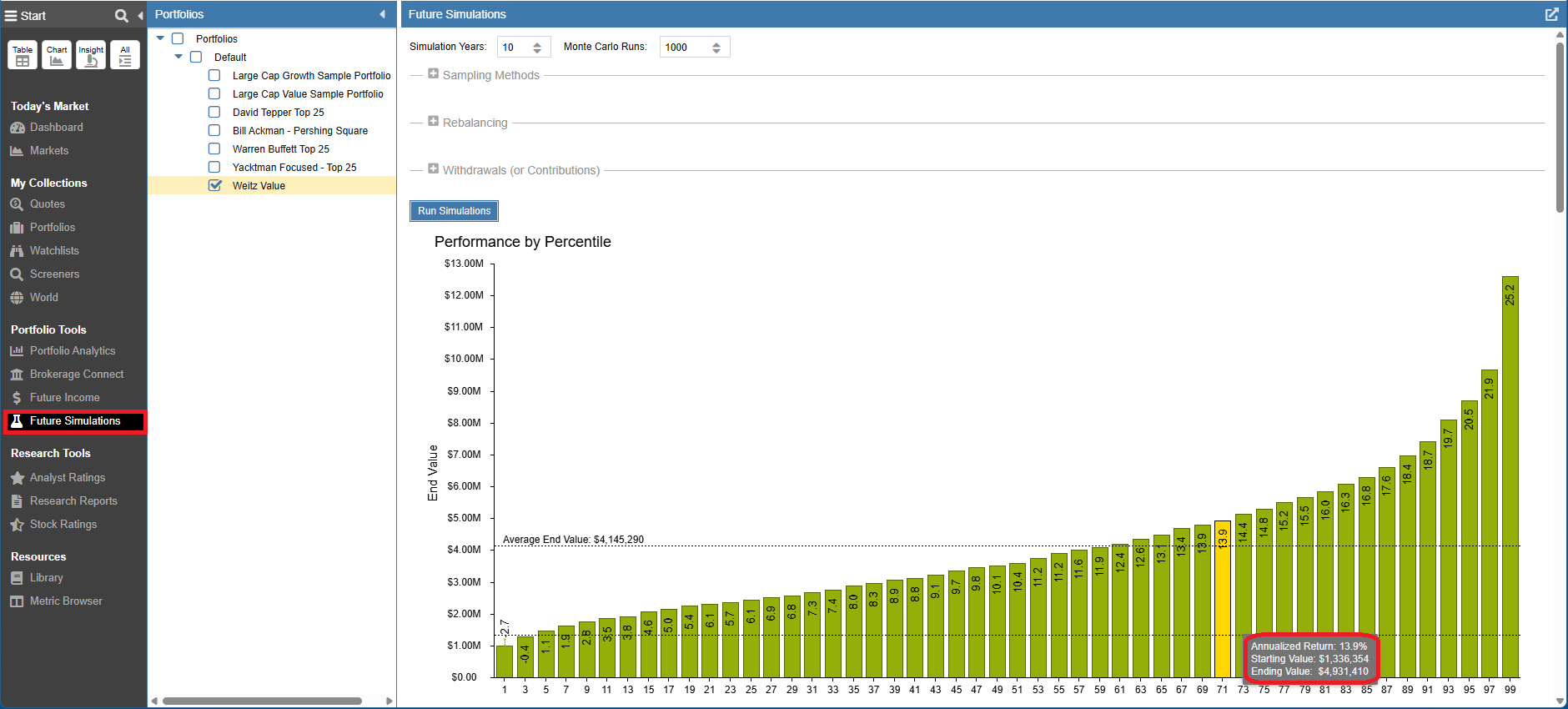
Use Monte Carlo simulations to stress-test your portfolio against thousands of market scenarios. Project your future net worth and build a retirement strategy designed to survive changing market conditions.

Portfolio Resources

Didn’t answer your question? See our help pages, or email us at support@stockrover.com.

Frequently Asked Questions

A portfolio contains more information than a watchlist. Portfolios are designed to track the stocks you actually (or hypothetically) own. Portfolios maintain a list of the individual investments (stocks, ETFs, mutual funds), and, for each investment, the number of shares and the average purchase price for the shares. Stock Rover uses that information to calculate detailed performance data for the portfolio.

A watchlist is similar to portfolio, but only contains a list of tickers—no quantity or buy price information is entered. A watchlist is generally used to track securities that you are interested in but don’t own.

You can create, update, and track portfolios in Stock Rover. Premium users can maintain historical portfolio information as well as see detailed analytics and use our portfolio planning tools. Please see our portfolio help documentation for further detail. Please also take a look at our Brokerage Connection section on how to connect to your own brokerage.

Creating or importing a portfolio in Stock Rover is simple. See the help documentation for instructions on manually creating a portfolio. To create a portfolio by connecting to your brokerage account see our Brokerage Help.

To combine the holdings from existing portfolios into a new combined portfolio:

  1. Use the checkbox multi-select capability to select the portfolios to combine.
  2. Click on the Actions menu in the Table and select “Save Table As Portfolio”.

Note: This will create a new combined manual portfolio. This new portfolio will not be linked to a brokerage and will not contain any history.

To see holdings across some or all of your portfolios, use the checkbox multi-select capability to select the desired portfolios to display in the table.

You can then further group the holdings by Industry, Sector, Currency, Tag or Color. See the following help link for more information on grouping in the table.

Yes, we support short positions. They can be entered with a negative share quantity, but the overall dollar balance of the portfolio must be positive.

Note: The short position will need to be held for more than one day for our portfolio to see the holding, as we don’t support day trading.

Yes, Stock Rover supports priced options. You can add them directly to your portfolios, with tracking limits depending on your specific subscription plan. See our Compare Plans page for more information on option limits by tier.

No, we don’t support day trading. A position must be held for more than one day for our portfolio to see it.

Yes! See our Brokerage Connection Help for more information.

The easiest way is through brokerage connection, which is explained in our Brokerage Connection Help. Another option is to import a file from your brokerage, as explained here. For users that trade at Fidelity, Schwab and TD Ameritrade, Stock Rover supports direct import of their exported data. More brokerage houses will be supported in the future. Note that TD Ameritrade exports their CSV file with an XLS extension. It is OK to to import the XLS file in this specific case.

For other sources, you can import by specifying a CSV (comma separated values) file. You can create a CSV file from a spreadsheet program such as Excel, or by using the export function from your brokerage firm. To be correctly read by Stock Rover, the CSV file should have three columns: Symbol, Buy Price and Quantity. Each row should represent a security in your portfolio.

Related Articles