World Overview
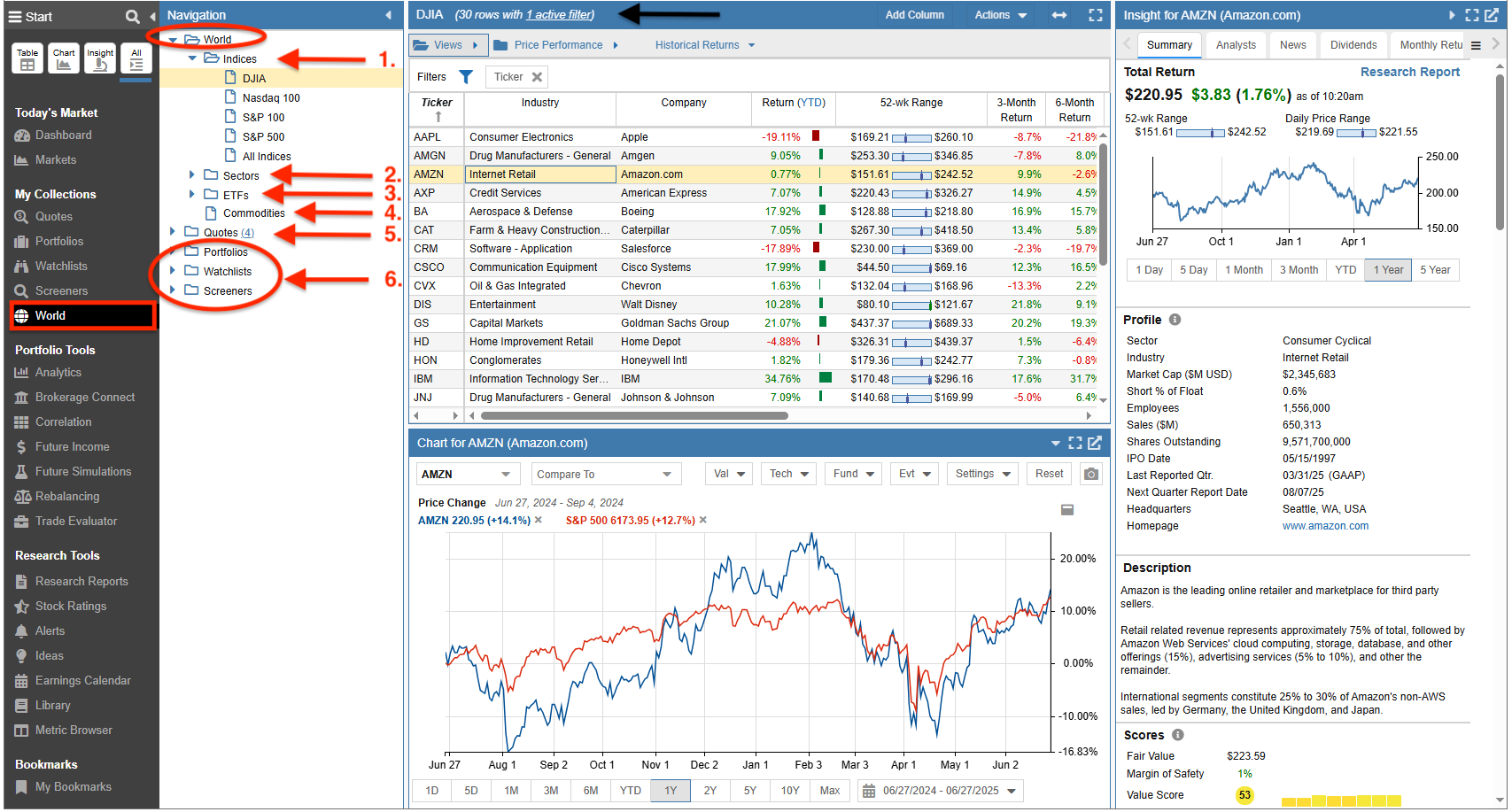
Selecting World from the Start Menu populates the Navigation panel with a World folder, as well as folders for Portfolios, Watchlists, and Screeners.
The World folder contains subfolders, each containing specific datasets that you can select for deep research.
- Indices – Select tickers by major market indices.
- Sectors – Select tickers by Sector and specific Industry.
- ETFs – Select ETFs by their respective categories.
- Commodities – Select and track various commodities.
- Quotes – Select tickers directly from your Quotes List.
- Portfolios, Watchlists, and Screeners – Access and select from these existing resource folders.
In the example below, we have selected the Dow Jones index to research its constituent tickers.