Portfolios, Watchlists, and Screeners
You can easily create, modify, or delete your Portfolios, Watchlists, and Screeners to keep your research organized. Management functions are centralized in the Navigation panel and are accessed via a simple right-click.
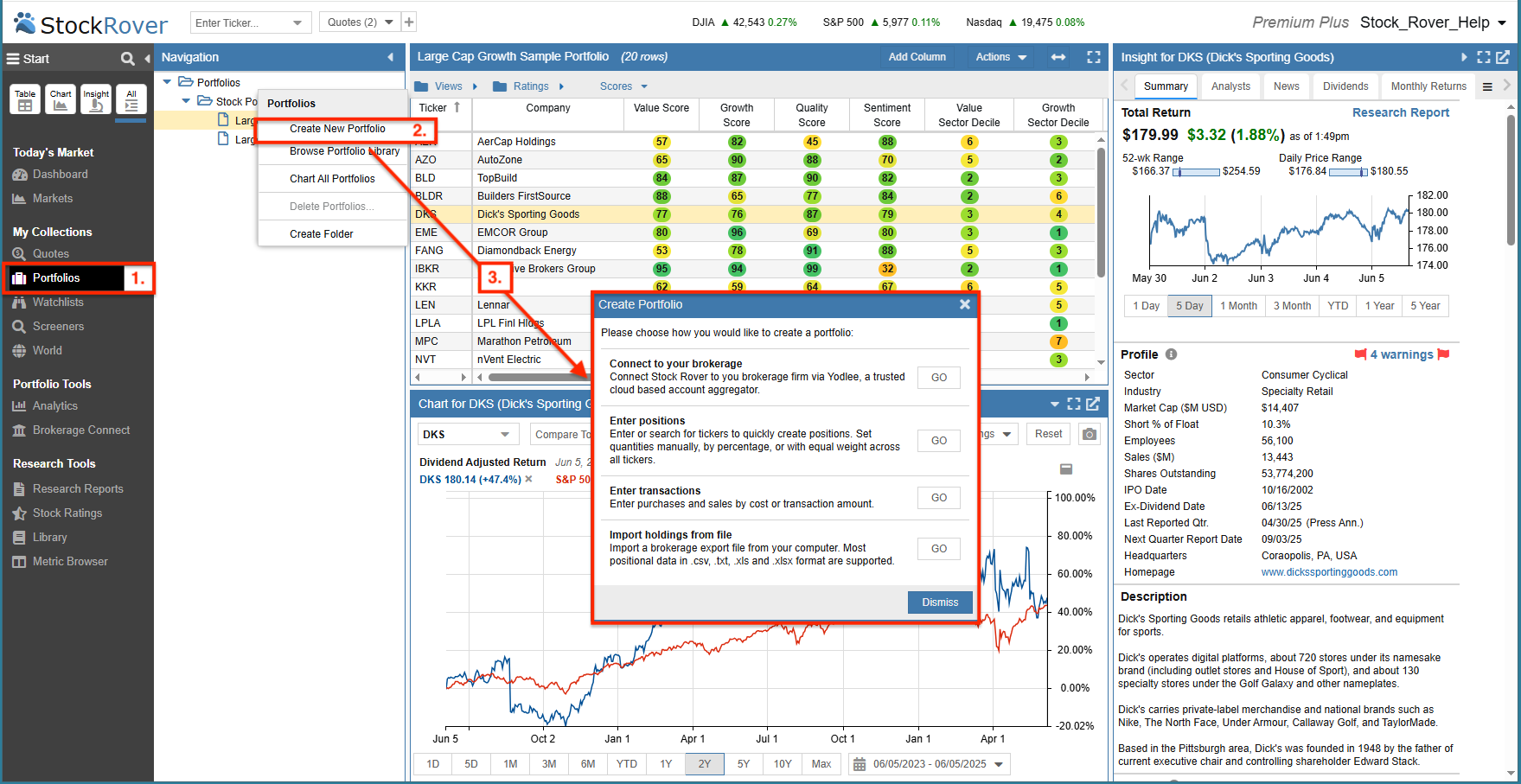
For example, to create a portfolio:
- Select Category – Click on Portfolios in the Start Menu to display your current collections in the Navigation Panel.
- Initiate Creation – Right-click on Portfolios in the Navigation Panel and select Create a New Portfolio.
- Choose Method – Once selected, you can choose the specific method you would like to use to create your portfolio, such as connecting to a brokerage, manual entry, or importing a file.